Best HR Software for Small Businesses
Introduction
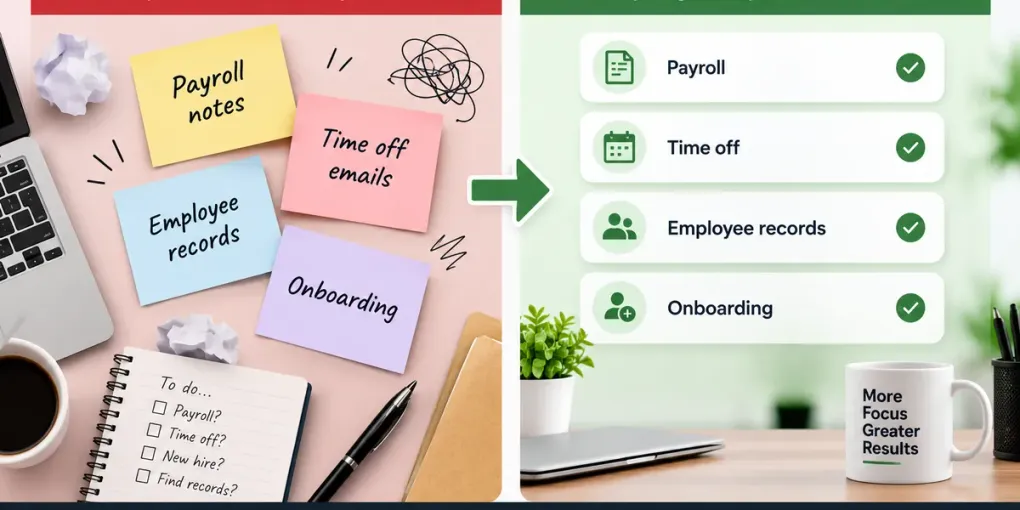
Managing people is one of the hardest parts of running a small business. Between onboarding new hires, tracking time off, staying compliant with labor laws, and keeping employee records organized, HR tasks can quietly consume hours every week. For many small business owners, this work is still handled through spreadsheets, email threads, and paper files, a setup that becomes harder to sustain as the team grows.
This guide breaks down the real problem behind HR management for small businesses, explains what to look for in HR software, and walks through how to compare solutions so you can choose what actually fits your business, not just the most popular name on the market.
The Problem: Why HR Gets Harder as You Grow
In the early stages of a business, HR is often informal. The owner or a single employee handles hiring, payroll, and basic recordkeeping without any dedicated system. This works fine with two or three employees, but it starts to break down quickly.
Common pain points small business owners run into:
- Employee records scattered across spreadsheets, emails, and paper files
- No centralized system for tracking time off, attendance, or hours worked
- Manual, error-prone payroll calculations
- Difficulty staying current with labor law and tax compliance requirements
- Slow, inconsistent onboarding for new hires
- No clear system for performance reviews or documentation
- Increased risk of missing deadlines for benefits enrollment or filings
These problems tend to affect a specific group most directly: businesses in the 5 to 50 employee range, where the team is too large for informal tracking but too small to justify a dedicated HR department.
Why This Problem Matters
Ignoring HR organization does not just create inconvenience. It creates real business risk and cost.
Lost time. Manually calculating payroll, chasing signatures, or reconstructing employee history from email threads takes hours that could go toward running the business.
Compliance risk. Labor laws, tax withholding rules, and benefits regulations change regularly. Missing a filing deadline or misclassifying an employee can result in penalties.
Inconsistent employee experience. A disorganized onboarding process or unclear time-off policy affects how new hires perceive the company from day one, which can impact retention.
Difficulty scaling. Processes that work for 5 employees usually collapse at 20. Businesses that delay adopting a system often face a disruptive, high-pressure transition later instead of a gradual one.
Data and security exposure. Sensitive employee data stored in unsecured spreadsheets or shared drives is more vulnerable to loss or unauthorized access than data in a purpose-built system with access controls.
None of this requires exaggeration to justify addressing it. These are practical, measurable costs that accumulate over time.
The Solution: What HR Software Actually Does
HR software (sometimes called an HRIS, or Human Resource Information System) centralizes the core functions of managing employees into a single platform. Depending on the product, this typically includes:
- Employee records and document storage
- Time tracking and attendance
- Time-off requests and approvals
- Onboarding and offboarding workflows
- Payroll processing or payroll integration
- Benefits administration
- Basic performance management
- Compliance tracking and reporting
For a small business, HR software is not about replacing a full HR department. It is about removing manual, repetitive work and reducing the risk of errors, so that whoever is handling HR responsibilities, whether that is the owner, an office manager, or a small HR team, can do it accurately and efficiently.
It makes sense to introduce a dedicated HR tool once informal tracking starts causing repeated errors, missed deadlines, or noticeable time loss, generally somewhere between 5 and 15 employees, though this varies by business.
What to Look for in HR Software
Not every small business needs the same features. Before comparing specific products, it helps to know which criteria actually matter for your situation.
Core features Confirm the platform covers the basics you need: employee records, time-off tracking, onboarding, and reporting. Some platforms bundle payroll; others integrate with separate payroll providers.
Ease of use Small businesses rarely have a dedicated HR administrator. The platform should be usable by a non-specialist without extensive training.
Pricing structure HR software is typically priced per employee per month, sometimes with a base platform fee. Understand what is included at each tier, and whether features like payroll or benefits administration cost extra.
Scalability Consider whether the platform can grow with you. A tool that works well at 10 employees should ideally still function well at 50, or offer a clear upgrade path.
Integrations Check compatibility with tools you already use, such as accounting software, payroll providers, or communication platforms.
Compliance support Look for built-in support for labor law updates, tax filings, and required documentation, particularly if you operate in multiple states or countries.
Customer support Small businesses often need responsive support since they may not have in-house HR expertise to troubleshoot issues independently.
Free trial or demo availability A trial period lets you test the actual workflow with your team before committing.
Only prioritize the criteria that are relevant to your business size, industry, and location. A five-person remote agency and a twenty-person retail business will weigh these factors differently.
Types of HR Software Solutions
Rather than recommending specific brand names, it is more useful to understand the main categories of HR software available, since the right type depends heavily on your business’s stage and needs.
1. All-in-One HR Platforms
These combine HR, payroll, benefits, and sometimes basic recruiting into a single system. They suit businesses that want one platform to manage most people-related functions without stitching together separate tools.
Best for: businesses that want a single source of truth and are willing to pay for a more complete feature set.
2. HR-Focused Platforms with Payroll Integration
These prioritize HR functions such as records, time off, and onboarding, and connect to a separate, often specialized, payroll provider rather than processing payroll natively.
Best for: businesses that already use a payroll provider they are happy with and want to add HR functionality without switching payroll systems.
3. Lightweight HR and Time-Tracking Tools
These focus narrowly on time-off requests, attendance, and basic employee records, without the full feature set of a complete HRIS.
Best for: very small teams that need to solve one specific problem, such as time-off tracking, without adopting a large platform.
4. Compliance-Heavy HR Platforms
These emphasize labor law compliance, multi-state or multi-country regulatory support, and detailed audit trails.
Best for: businesses operating across multiple jurisdictions or industries with strict regulatory requirements.
Comparing the Solution Types
| Criteria | All-in-One Platform | HR + Separate Payroll | Lightweight HR Tool | Compliance-Heavy Platform |
|---|---|---|---|---|
| Best for | Businesses wanting one system | Businesses with existing payroll provider | Very small teams, single-purpose needs | Multi-state or regulated businesses |
| Core strength | Breadth of features | Flexibility with payroll choice | Simplicity and speed | Regulatory coverage |
| Ease of use | Moderate, more features to learn | Moderate | High | Moderate to complex |
| Pricing | Higher, bundled | Moderate | Lower | Higher, specialized |
| Scalability | High | High | Limited | High |
| Setup effort | Higher | Moderate | Low | Higher |
This comparison is based on general category characteristics. Actual pricing, features, and limitations vary by specific vendor, so always verify current details directly with a provider before deciding.
How to Choose the Right Type for Your Business
Choose an all-in-one platform if:
- You want a single system for HR, payroll, and benefits.
- You expect to grow steadily and want a platform that scales with you.
- You are willing to pay more for convenience and reduced tool-switching.
Choose HR software with separate payroll integration if:
- You already use and prefer a specific payroll provider.
- You mainly need to solve HR organization, not replace payroll.
- You want more flexibility to change individual pieces of your stack later.
Choose a lightweight HR tool if:
- Your team is very small and your main pain point is one specific task, like time-off tracking.
- You want a low-cost, low-setup solution.
- You do not yet need payroll, benefits, or compliance features.
Choose a compliance-heavy platform if:
- You operate in multiple states or countries.
- Your industry has strict regulatory or documentation requirements.
- Compliance risk is a bigger concern for you than cost.
Frequently Asked Questions
Does a small business really need HR software, or can spreadsheets work? Spreadsheets can work temporarily for very small teams, but they become error-prone and time-consuming as headcount grows. Most businesses benefit from a dedicated system once they pass around 5 to 10 employees.
Is HR software expensive for small businesses? Pricing varies widely by category and provider, typically charged per employee per month. Lightweight tools tend to cost less than all-in-one platforms with payroll and benefits included. Always confirm current pricing directly with a vendor, since it changes over time.
Can HR software replace an HR department? For very small businesses, HR software can reduce or eliminate the need for a dedicated HR hire by automating repetitive tasks. For larger teams, it typically supports an HR person or team rather than replacing them entirely.
What is the difference between an HRIS and payroll software? An HRIS focuses on employee records, time tracking, and HR workflows. Payroll software focuses specifically on calculating and processing pay, taxes, and deductions. Some platforms combine both; others keep them separate and integrate.
Final Thoughts
There is no single “best” HR software for every small business. The right choice depends on your team size, budget, regulatory environment, and which specific problems are costing you the most time or risk today. Understanding the category differences outlined above puts you in a much stronger position to evaluate specific products against your actual needs, rather than choosing based on marketing alone.
Natural Call to Action
Compare the solution types above against your business’s current size and pain points, and start with a free trial or demo of a platform that matches your priorities before committing to a long-term plan.
Suggested Internal Links
- Best Payroll Software for Small Businesses
- How to Choose Employee Time-Tracking Software
- A Small Business Owner’s Guide to Labor Law Compliance
- Best Tools for Managing Remote Teams
Note: This article intentionally does not name specific HR software brands, since none were provided. If you’d like, share the specific products or affiliate partners to include, and I can revise Steps 5 and 6 with named, individually evaluated solutions and a brand-specific comparison table.